
I built Wirekitty because I wanted an easy way to provide visual feedback while working with AI agents. I didn’t find any other tools suitable, because I wanted something that was lightweight enough to run in the browser, robust enough to have pre-made building blocks for easy creation, and fast enough that it didn’t interrupt my workflow for too long. That’s how I ended up with a browser-based wireframe editor that’s built to interface with AI.
I’ve been using it to help me build out the UI and UX of the actual app, which is a funny side-effect of building a tool that helps people build software: eventually you get to use it to build itself.
I came across the perfect use case for Wirekitty. I had arrived at a settings menu with dual states for each setting, and after trying out checkboxes and switch toggles I ended up using radio button groups.
I had this idea to show the label for a setting on the left-hand side of individual boxes, and keep the options on the right. This lets users scan the available settings easier, while clearly associating the dual-state option to the setting label.
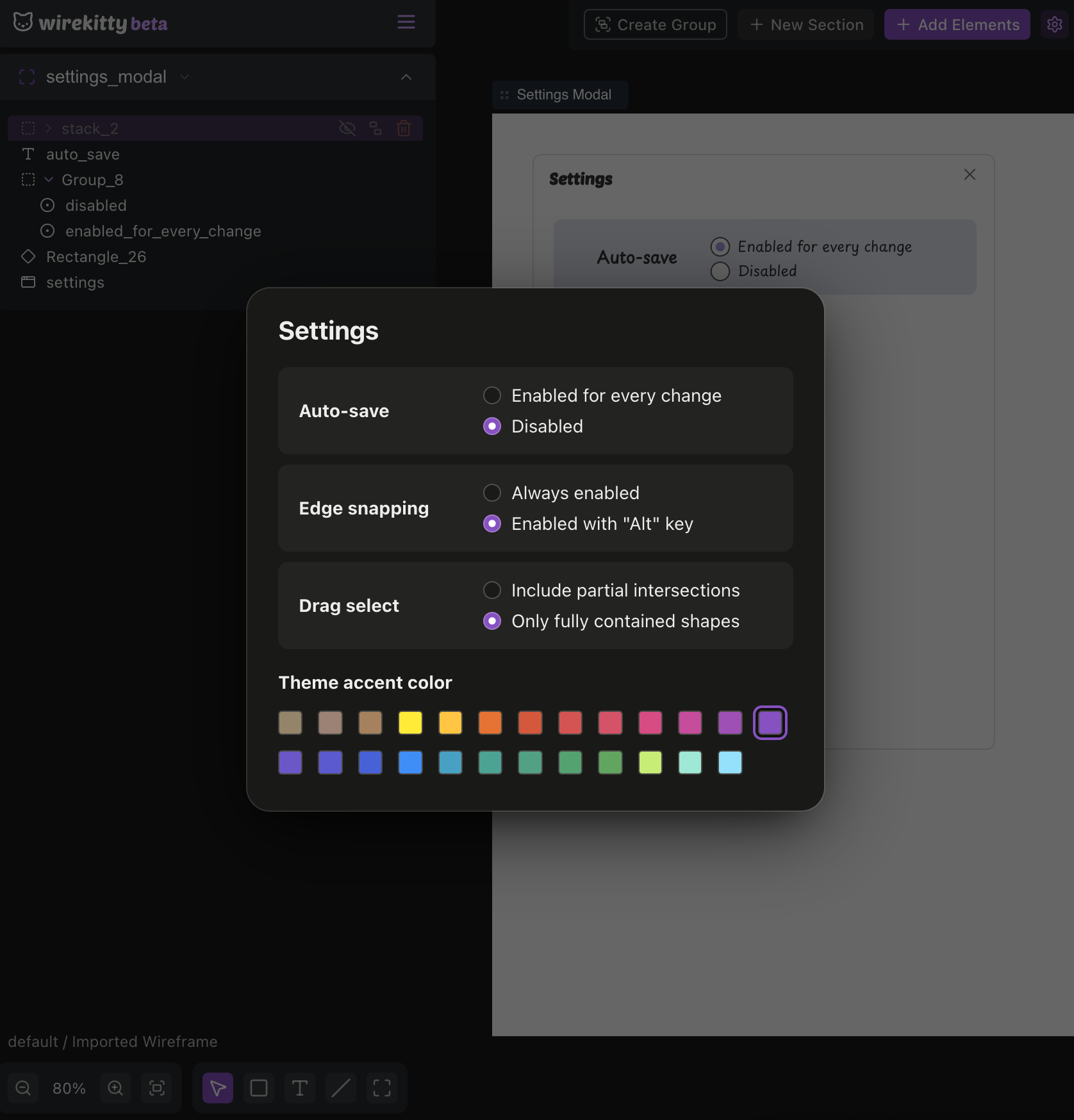
This is exactly the sort of unconventional UI that’s difficult to get AI to generate:
- It doesn’t have much nonstandard UI in its training data.
- Describing what I want through text is harder than just quickly drawing it.
So, I first told the agent to make me a wireframe of the settings menu. It came back to me with an editable wireframe in 28 seconds after spending most of that time reviewing my codebase for what the settings menu looked like.
Then it took me another handful of seconds to draw up the changes I wanted in the design editor.
A quick export and share back to the AI model later and it understood my desired experience exactly and built it perfectly according to spec.
This is a small example, but I found this genuinely helpful for the first time. Using wireframes to explain my desired UX to AI is really useful if you’re thinking even a little bit outside the box. When left to its own devices, AI will usually come back with the most standard UI pattern possible.
Quick visual walkthrough
- I wanted to organize my dual-state settings in a way that was difficult to describe with AI.
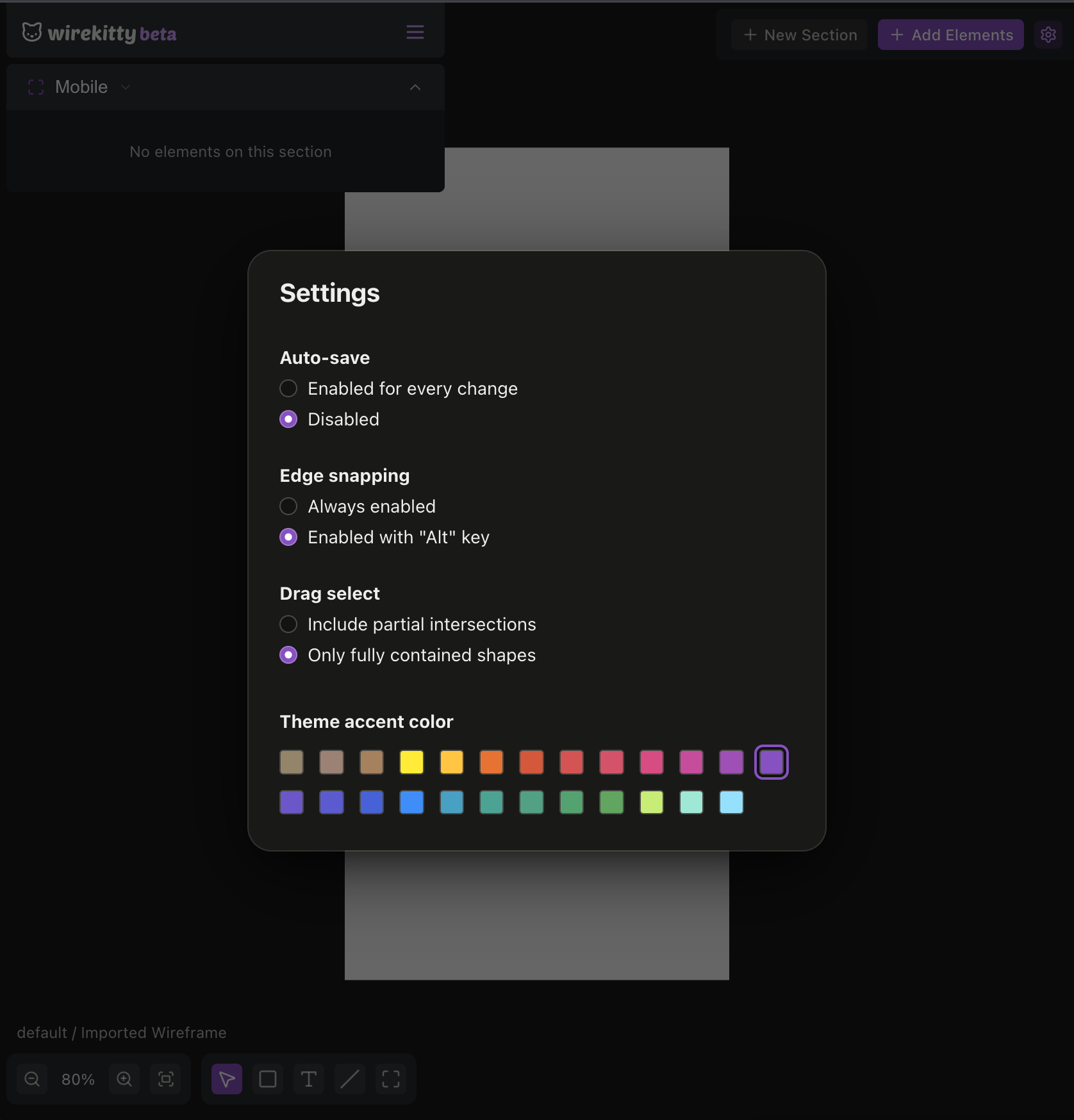
- I asked AI to quickly create a wireframe so I could provide visual feedback.
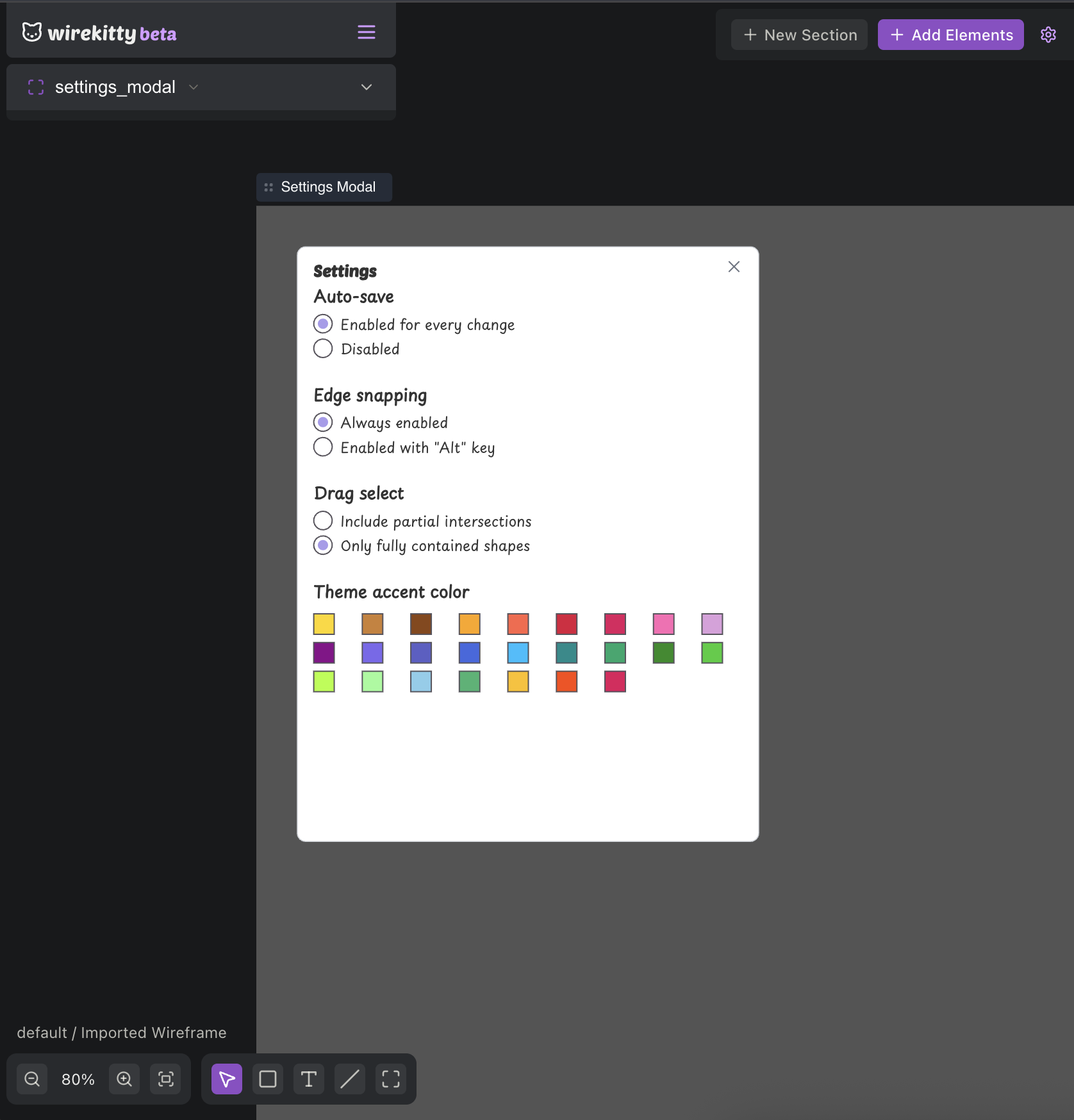
- I made an example of the changes I wanted directly in the editor.
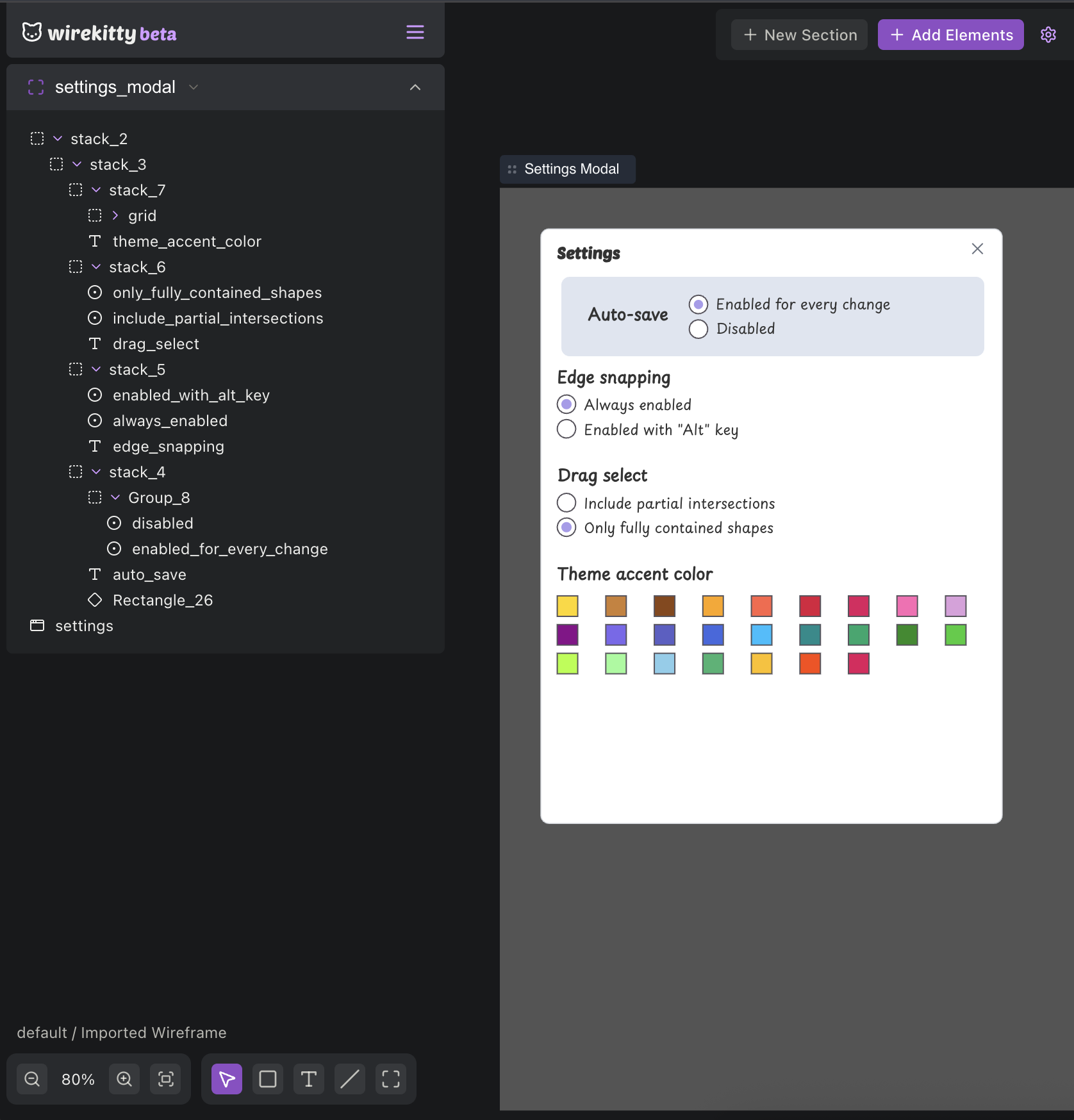
- Then it implemented the changes correctly.
If you want to check out Wirekitty yourself, the wireframe editor is available for free, without an account, and saves directly to your browser at app.wirekitty.dev. If you want to use it in an agentic AI workflow, you can check out the MCP docs.